
Active Backup Expert2.11 - Download
You'll be able to download in few seconds.
Publisher Description
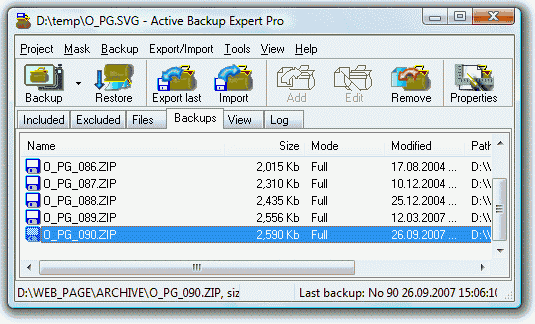
An easily mastered tool maintains backups of files in zip or cab format on hard and removable disks (CD, DVD, Blu-Ray, HD-DVD, Zip drives etc.), in a LAN or WAN. A Wizard guides you through the steps of the backup-set creation: supplying the paths and filters for the included and excluded files, specifying the storage folder and compressing ratio, selecting the incremental or differential backup method. Enabling file inclusion on the date-time basis, you will back up the new and changed files only. Having configured the backup-set only once, you are free to create as many backup copies as you wish. Just press the Backup button or click the shortcut on the Desktop. The Command-line support provides you with the ability to get unattended backups by using your favorite Automation utility. Once the backup is created, you can easily restore the files stored within it, view or edit their content. The import/export features are useful to synchronize the folders on different PCs and to span the large backups across the multiple disks. Other features include creating self-extracting .zip files and the support for ActiveX automation. The ample documentation is also available.
About Active Backup Expert
This File & Disk Management program is available in English, French, Portuguese, Spanish. It was last updated on 29 September, 2026. Active Backup Expert is compatible with the following operating systems: Windows.
The company that develops Active Backup Expert is OrionSoftLab. The latest version released by its developer is 2.11.
The download we have available for Active Backup Expert has a file size of 2.1 MB. Just click the green Download button above to start the downloading process. The program is listed on our website since 2008-06-02 and was downloaded 0 times. We have already checked if the download link is safe, however for your own protection we recommend that you scan the downloaded software with your antivirus. Your antivirus may detect the Active Backup Expert as malware if the download link is broken.
How to install Active Backup Expert on your Windows device:
- Click on the Download button on our website. This will start the download from the website of the developer.
- Once the Active Backup Expert is downloaded click on it to start the setup process (assuming you are on a desktop computer).
- When the installation is finished you should be able to see and run the program.
Program Details
System requirements
Download information
Pricing
Version History
version 2.11
posted on 2008-06-02
The backup software includes predefined projects to backup My Documents, Favorites, OutlookExpress e-mails and addresses and Desktop-StartMenu-QuickLaunch shortcuts with two clicks or automatically.
version 1.93
posted on 2006-07-17
The ABE supports the CD-writing facility of Windows XP.
Disclaimer
External Download
We do not host Active Backup Expert on our servers. We did not scan it for viruses, adware, spyware or other type of malware. This app is hosted by the software publisher and passed their terms and conditions to be listed there. We recommend caution when installing it.
The external download link for Active Backup Expert is provided to you by apps112.com without any warranties, representations or guarantees of any kind, so access it at your own risk.
If you have questions regarding this particular app contact the publisher directly. For questions about the functionalities of apps112.com contact us.
